4.3 Configuring the Switch through Web Login
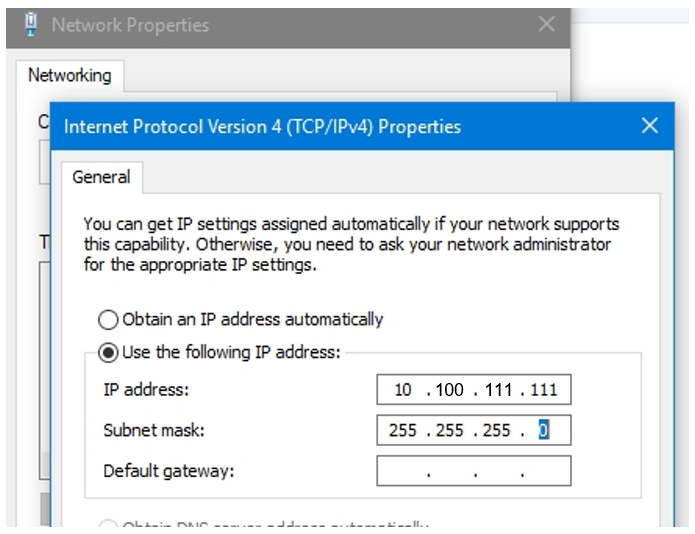
(1) Set the IP address of the PC to 10.100.111.XXX (Range: 1–254, excluding 200).
Figure4-2 Changing the PC's IP Address
(2) Open your browser, enter 10.100.111.200 in the address bar, and log in to the management system after setting a password.
(3) Perform device commissioning and configuration based on service requirements.
Note
For security purposes, you are advised to change the password regularly.